Every line check, every log, in real time.
Line checks, checklists, prep lists, and scheduled tasks go digital. Pre-defined corrective actions guide your team when issues come up. Above-store reporting shows every kitchen at a glance. Compliance is one of three pillars of the FusionPrep kitchen operations platform.
You shouldn't have to visit every kitchen to know what's happening in it.
Regional managers and directors of operations spend their weeks driving between locations, pulling clipboards off walls, and reading through handwriting that was never legible to begin with. Audit season turns into three weeks of reconstructing what happened from paper that's been splashed, crumpled, or lost entirely.
Know what's happening in every kitchen, without driving there.
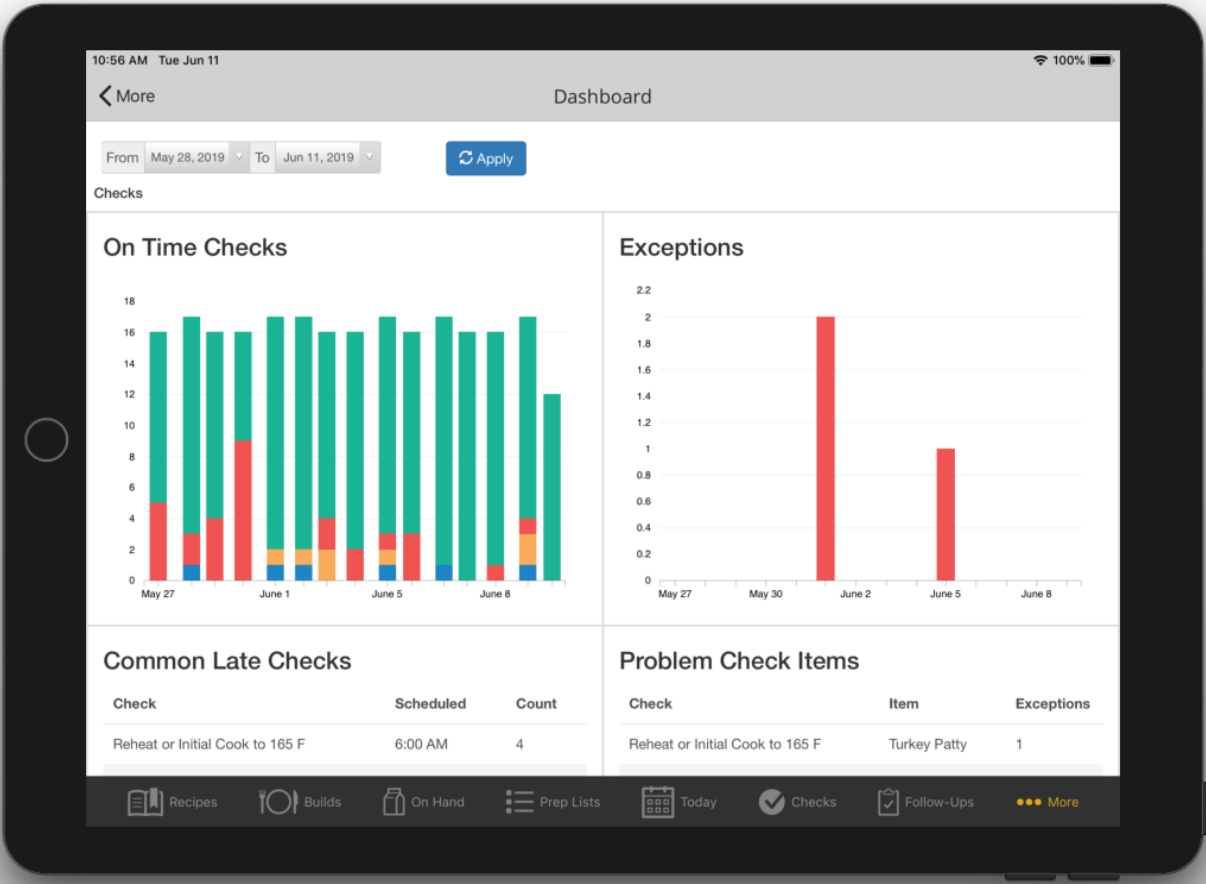
On-time check rates, exception counts, the checks that get missed most, the items that fail most — all in one view, scoped to a single kitchen, a region, or the whole brand. Your VP of Operations runs quarterly reviews from a dashboard instead of a binder.
Shown: Insights Dashboard filtered to a 2-week range. On Time Checks bar chart, Exceptions chart, Common Late Checks and Problem Check Items queues.
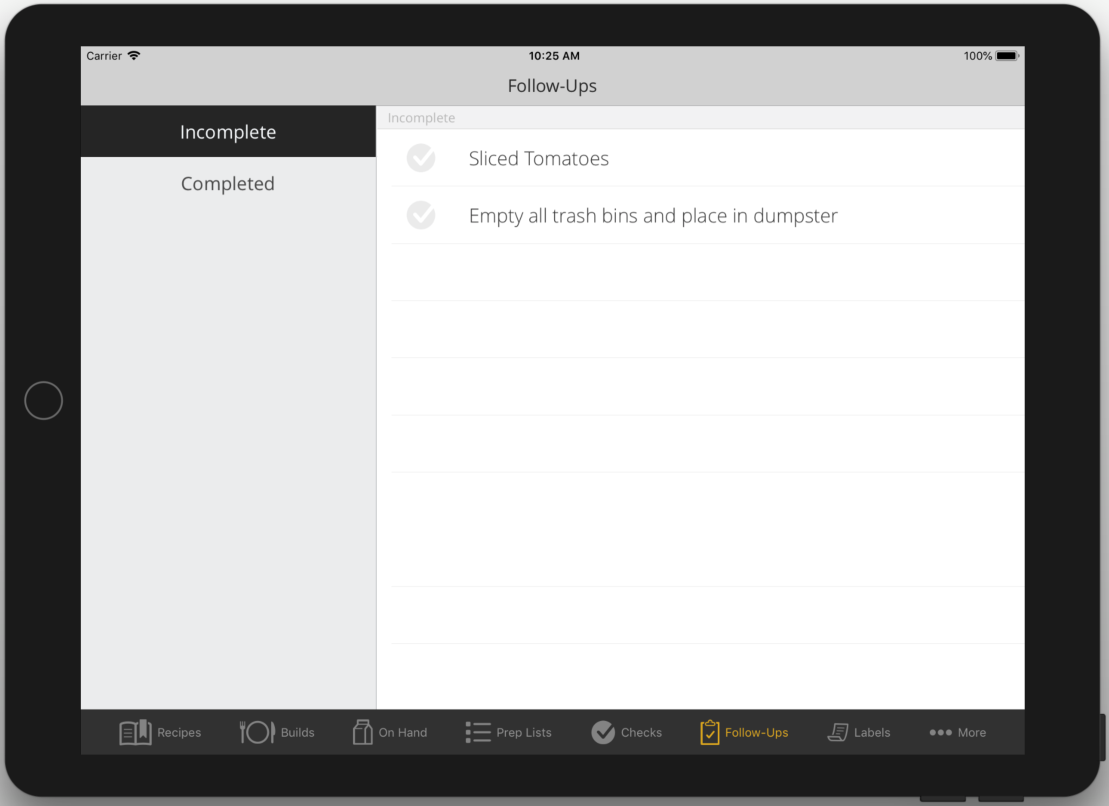
Nothing tagged for follow-up falls through the cracks.
Tap the Follow-Up button on a failed check, a pending corrective action, or any open item, and it loops into the Follow-Ups queue until someone resolves it. Complete with timestamp, assignee, and notes — the audit trail writes itself. Items only enter the queue when a team member explicitly flags them, which keeps the list focused on what actually needs attention.
Assigned. Tracked. Done on time.
Prep generated from the most current on-hand count. Assigned to specific team members. Sorted by person or by category. One tap from any prep item to the recipe — with label printing built in. Managers pick up a tablet, see exactly where prep stands.
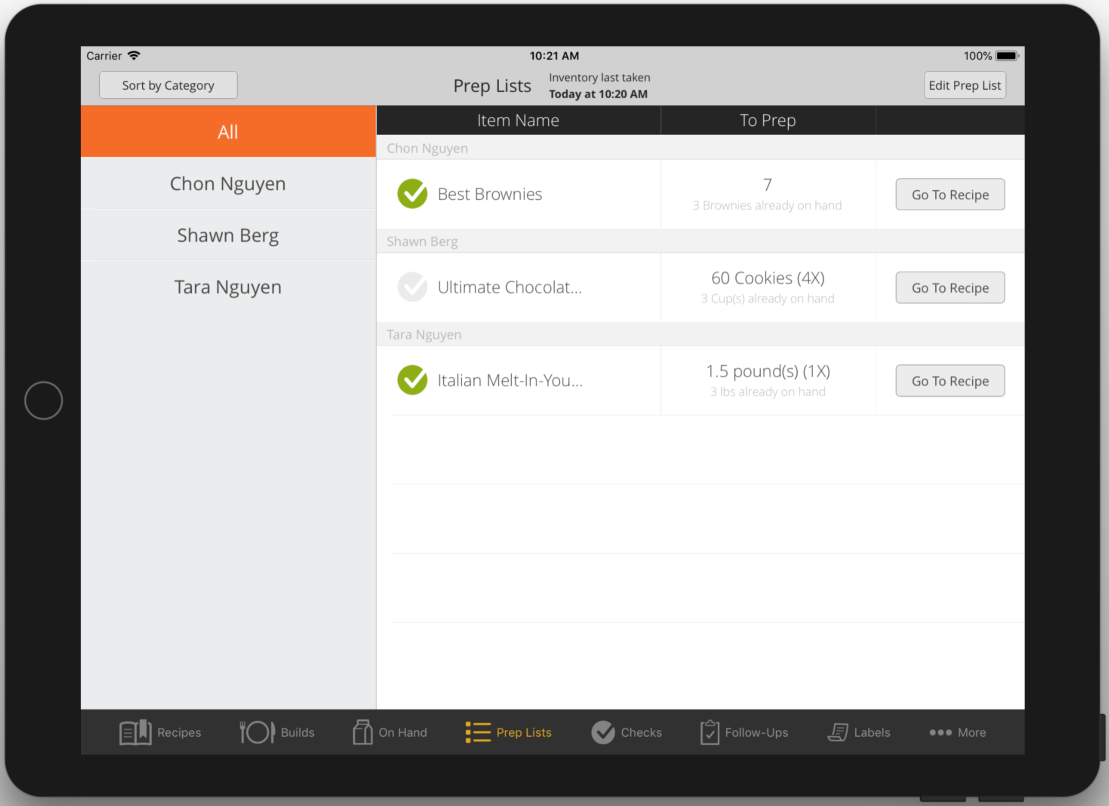
Six tools. One app.
Line Checks & Checklists
Every check your team needs — opening, closing, line, weekly, monthly, custom — digitized and scheduled. Nothing falls through.
Scheduled Tasks
Daily and weekly schedules — daily tasks appear on the team's Today tab in the app, weekly tasks live in the control panel. The team always knows what's next, who owns it, and when it's due.
Pre-Defined Corrective Actions
When a check item fails, the team sees the specific corrective action your brand requires. The wrong call is no longer an option.
Follow-Ups
Tap the Follow-Up button on any item that needs more attention and it loops into a queue until resolved — with a trail of who did what, when, and why. Items only enter the queue when someone explicitly flags them.
Prep Lists & On-Hand Counts
Counts, pars, and prep lists digitized. Assign prep items to individual team members. Print on-hand count sheets from the control panel; the rest stays paperless on the tablet.
Above-Store Reporting
Every kitchen's compliance, safety, and audit data on one dashboard. See where each location stands without leaving your desk.
Compliance is one pillar. FusionPrep runs the other two too.
Line checks reference the same recipes your culinary team manages, in the same app. Failed checks tagged for follow-up surface alongside safety items in the dashboard. One platform, one data model — so compliance doesn't have to import data from three other tools.

115+ corporate and franchise units run their kitchens on FusionPrep. Above-store visibility across every location, in one dashboard.
What you get.
- Regional manager visits focus on solving, not discovering
- Audit season becomes a report, not a reconstruction
- Pre-defined corrective actions guide the team — nothing slips through the cracks
- Directors of Operations run every kitchen from the dashboard
See every kitchen from one dashboard.
Book a 45-minute demo or start a free trial. No credit card, no commitment.