Every kitchen, every recipe, always current.
Publish recipes, build cards, photos, and videos from one place. Updates hit every kitchen instantly — no more binders, no more 'is this the right version?' Training is one of three pillars of the FusionPrep kitchen operations platform.
Paper ages. People move. Recipes drift.
Build cards printed in binders were right in January and wrong by March. Chefs update recipes in email threads the line teams never see. New staff train on whichever version happens to be pinned up that week. Multiply it across 20 locations and consistency is no longer a goal — it's a rumor.
When culinary updates a recipe, line teams see it immediately.
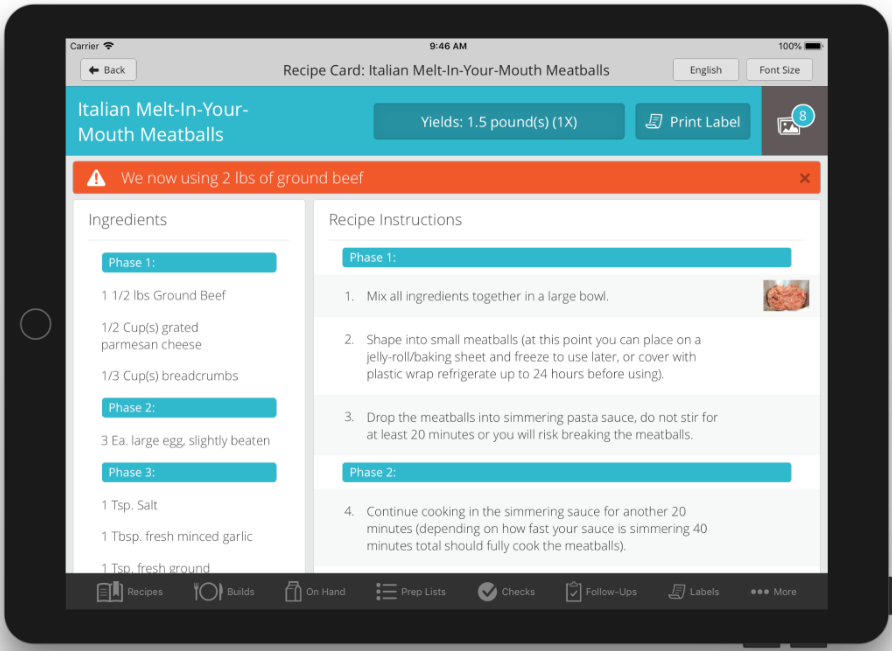
Recipe edits in the Control Panel publish to every kitchen the moment you save. When a change matters — a new yield, a swap of beef for turkey, a phase order tweak that affects timing — click Save & Notify. The line team sees a red banner at the top of the recipe explaining what changed and why, until a manager dismisses it. Edits without Save & Notify still publish, just without the banner.
Shown: an Italian Meatballs recipe with a Save & Notify banner: "We now using 2 lbs of ground beef." Phase-grouped ingredients on the left, step-by-step instructions with inline photos on the right.
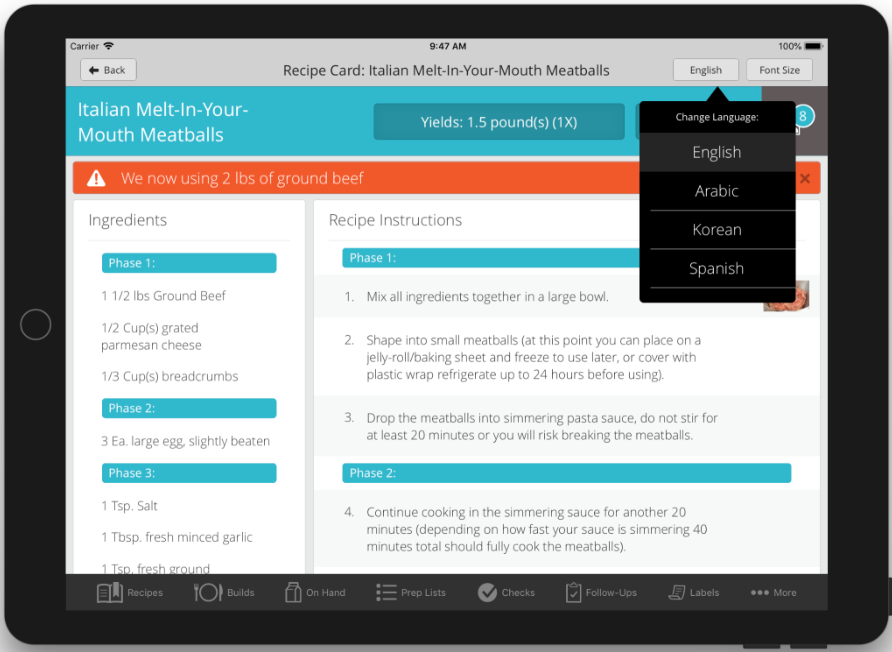
The same recipe, in the language your team reads.
Enter your recipe in each language your team reads — English, Spanish, Korean, Arabic, and more. There is no auto-translate; you write each language version yourself, exactly the way you want it read on the line. Cooks switch with one tap on the tablet. Most competitors don't do this — for BOH teams with bilingual or ESL staff, it's a game-changer.
Show, don't just tell.
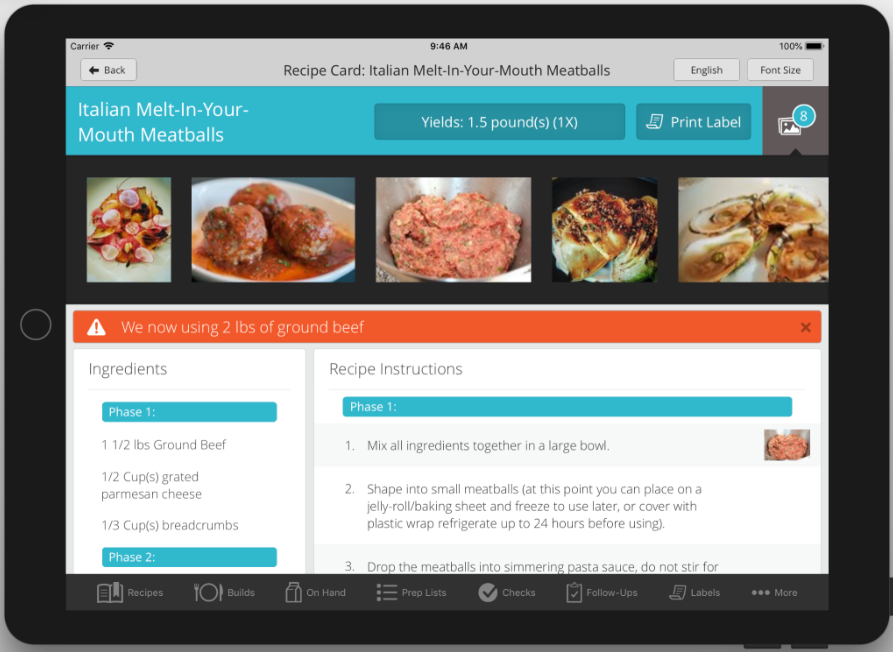
Unlimited photos and one training video per recipe. Inline photos on individual instruction steps so the line team sees exactly what the plate should look like at each stage. Full-screen view on tap.
Every allergen, visible before the first step.
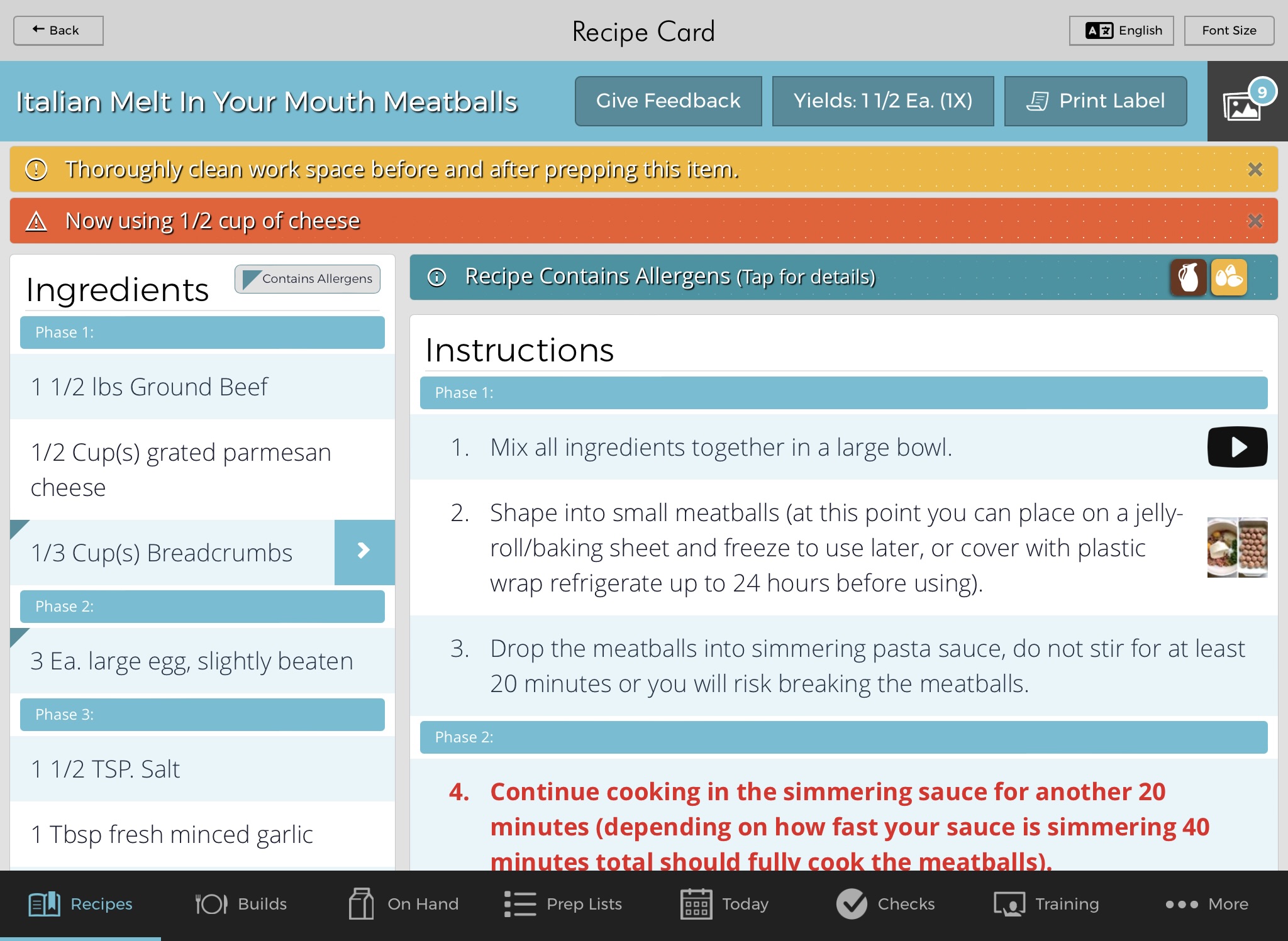
Tag each recipe with the allergens it contains. Line cooks see them at the top of the recipe card — not buried in the ingredient list, not on a separate sheet. When staff know what’s in a dish before they start building it, allergy incidents get caught earlier.
Managers can audit allergen coverage across the entire menu from the Control Panel, so nothing slips through during a menu change or seasonal rollout.
One source. Every kitchen.
Digital Recipes & Build Cards
Every recipe, build, and spec lives in FusionPrep. Phase-grouped ingredients, inline step photos, utensils, storage. No binders, no PDFs, no "latest version" shared drive.
Allergens at a Glance
Tag each recipe with the allergens it contains. Line cooks see them at the top of the recipe card; managers can audit allergen coverage across the menu from the control panel.
Instant Publishing with Change Banners
Change a recipe in the Control Panel and the update publishes to every kitchen. When the change is significant, click "Save & Notify" to push a plain-English explanation as a red banner at the top of the recipe — so the line team sees what changed and why.
Multi-Language Support
Enter each recipe in each language your team reads — English, Spanish, Korean, Arabic, and more. There is no auto-translate; you author each language version yourself, exactly the way you want it read on the line. Cooks switch languages with one tap on the tablet.
Recipe Ingredient Linking
Recipes reference other recipes. Update a base sauce once, and every dish that uses it inherits the change. Sub-recipes stay in sync automatically.
Automatic Recipe Scaling
Scale a recipe for the day's expected covers — 1/4X, 1/2X, 1X, 2X, 3X, 5X. The app does the math so prep cooks don't have to. Culinary can override per-yield if needed.
Training Library
Employee handbooks, equipment docs, SOPs, training videos — in the same app your team already uses for recipes. Staff find what they need without hunting across tools.
Training is one pillar. FusionPrep runs the other two too.
Recipes, food rotation labels, line checks, and prep lists all live in the same app, sharing the same data layer. Records don't auto-rewrite each other — a recipe edit doesn't push changes into a build card or a line check on its own — but your culinary, safety, and ops teams are all working from one source, in one platform. That's what 'one platform' actually means.
John Zimmerman, VP of QA & Food Safety, credits FusionPrep with helping First Watch proactively manage recipes across every kitchen.
What you get.
- Consistent plates across every location — not a rumor, a system
- New hires up to speed in days, not weeks
- No more "which version of the recipe?"
- Culinary team's changes reach the line the same day
- Spanish-speaking line cooks read recipes in Spanish — no translation lag
See how FusionPrep keeps every recipe current.
Book a 45-minute demo or start a free trial. No credit card, no commitment.